Traceable, reproducible analysis
See which steps produce each result. Rowcall runs the required steps in dependency order, so execution follows the graph.
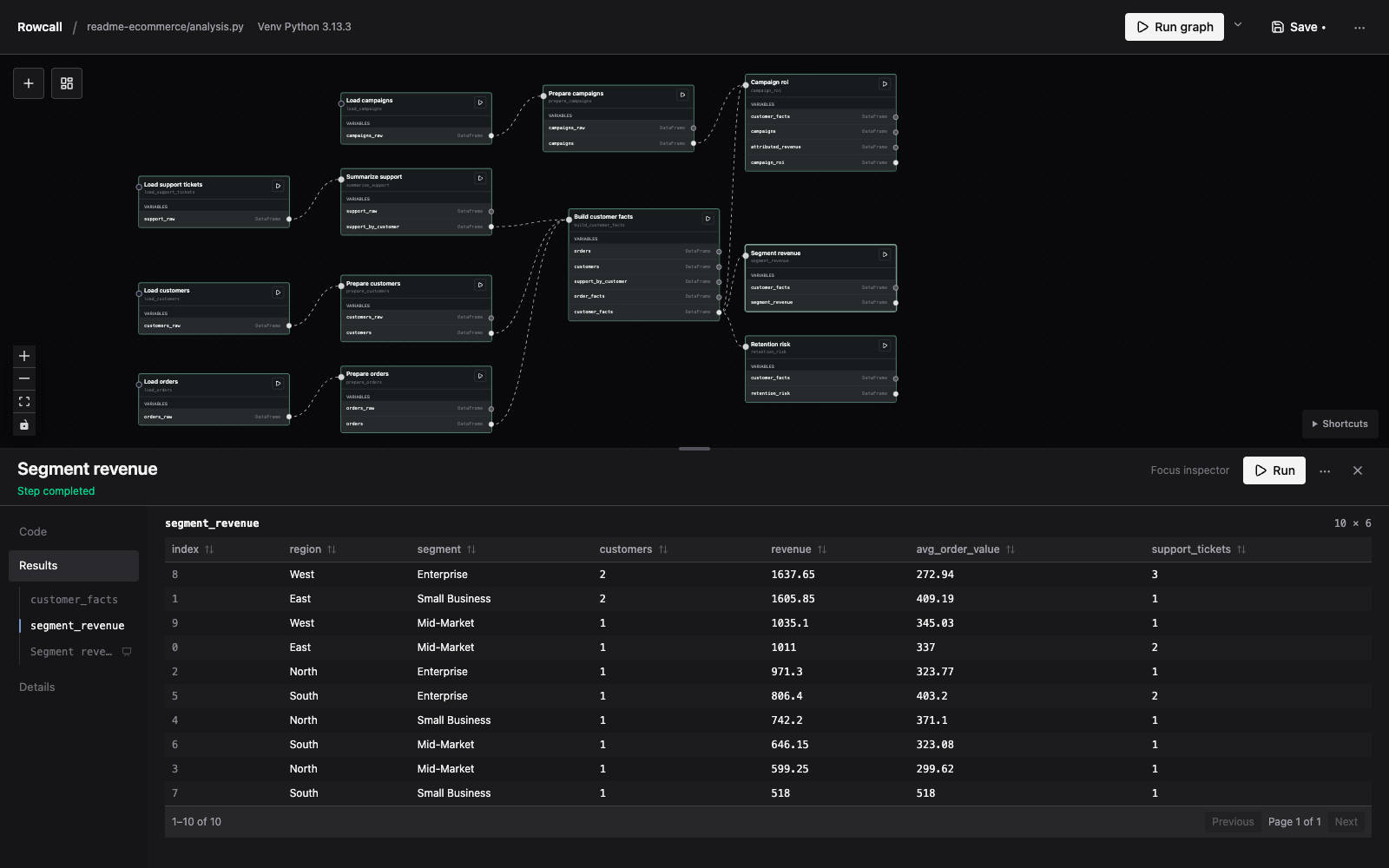
Rowcall combines interactive exploration with an explicit graph of Python steps. See how your analysis fits together, inspect results as you go, and keep your work in ordinary Python files.
pl.read_csv("orders.csv")pl.read_csv("customers.csv")orders.join(customers,
on="customer_id")joined.group_by("segment")
.agg(pl.col("revenue").sum())Revenue by segment
Illustrative data · 3 rowsYou bring in another source, join datasets, try a different transformation, and build a model. Rowcall keeps those steps connected in a graph, so you can see how a result was produced and build on the work.
In a notebook, the order you run cells can differ from the order you read them. In Rowcall, connections make dependencies visible and determine which steps run.
See which steps produce each result. Rowcall runs the required steps in dependency order, so execution follows the graph.
Work locally, with a dedicated Python environment for each project. Your analysis stays in a folder you control.
Your analysis lives in ordinary Python files. Use your preferred editor or coding agent alongside Rowcall.
Drop in CSV, TSV, or Parquet files to create Python steps that load your data. Connect them and start exploring.
Run rowcall. The wizard guides you through naming your project, choosing a folder, and selecting Python packages.
Add Python steps, connect their inputs, and inspect the results as you work.
Edit the Python files in your project folder, reopen the graph, and run it again. Share the files and requirements when you’re ready.
For macOS, with Python 3.10 or newer.
Free and open source under the MIT license.
Expect bugs and changes. Keep backups of important work. Found something confusing or broken? Send feedback on GitHub ↗
curl -fsSL https://rowcall.io/install.sh | shFollow any PATH instruction printed by the installer.
Windows x64 beta: installation and testing instructions ↗
rowcallApple Silicon and Intel supported. The binary is unsigned and not notarized. Rowcall runs Python with your permissions; only open code you trust. Unsaved browser edits are lost when the app or browser closes.
Prefer to run from source? ↗ · Documentation ↗